Monday, 21 January 2008
Somehow, Lghtdraw game gave its final problem of its makefile (which i had overlooked in my haste to finish up the project) but it has been solved earlier today.
We also did a bit of designing of Lightdraw in its OO version and have thought up of many new ideas on how to present the interface to the user. New ideas aplenty, now its time for the cool off period to evaluate them.
And to officially move on to Vertex detection.
Tuesday, 22 January 2008
Did a bit of domain modeling in the morning and moved on to Sim Lim after lunch to buy some materials needed for the project when we move on to lasers.
Wednesday, 23 January 2008
Situ had managed to buy some individual parts at Sim Lim yesterday and was working on creating a infra-red makeshift torch light for replicate the Wiimote tracker based on the Youtube video we saw. All went well with him completing the two torches powered via USB to save batteries.
Today I started work on the HCI which has move and resize capabilities, to develop shape recognition within the square that is being manipulated. Took me quite a while (probably due to lack of sleep) to understand it first before starting to implement my portion. Managed to get it to start drawing within the shape by the end of the day.
Thursday, 24 January 2008
Continuing from yesterday, I carried on to implement shape detection together with the help of JL who has helped me in many ways when my brain dead period prevented me from doing the most basic tasks.
We finally managed to get it working, with a bit of tweaking of the previous whackapeng (Lightdraw game) findCircles function's codes to implement a pattern/corner recognition. And based on the shape/num of Corners within the drawn shape inside the square, we would change the colour of the square being drawn during each draw loop of the main function.
We also discussed on the MVC model for Lightdraw and the pros and cons of having a DisplayManager to coordinate the display & menu classes. The main class diagram seems to be taking shape.
Friday, 25 January 2008
I took a day off today to help out at DipIT JAE booth & IIT School booths overall.
Reflection of the Week:
All the design work is making me feel like I'm back to OOAD classes again. The flow - use cases, domain modeling / class diagrams and next would be sequence diagrams, before we start implementing the system. Thinking back to OOAD classes, I wonder how come it was kind of hard to grasp the concept of doing it back then. Perhaps after doing too much functional programming, we get too caught up with implementation rather than design and extensibility of the system instead.
During the designing of Lightdraw for OOP concepts, it all seems to make sense - the rationale falls into place and understanding of the system is made clear. Finally understand how useful and important OO Design of a software system is, especially to ensure that the software is implementing exactly the way we/the client wants it to be.
Well, maybe OOAD classes is not that bad after all...
Monday, January 21, 2008

Monday, January 14, 2008
Week 13 (14 Jan - 18 Jan)
Monday, 14 January 2008
Of course, solving this was not alone, it was together with the help of C2E and Kevin.
We finally ended our day at 7pm.

Tuesday, 15 January 2008
Stress testing of Lightdraw game to see if the changes made yesterday actually solved the problem. And they did. :)
The game did seem a bit slow - due to a single processing thread attempting to accept light input, calculate all the shape and enclosed detection, then followed by rendering it out on 4 different displays (for debugging purpose), which made the light trail very segmented each time it ran through the loop.
Thus I decided to carefully examine each line of the source code to see how I could actually reduce excessive and/or debugging code and thread some methods to better the overall game play.
23 pages of code, 2am.

Wednesday, 16 January 2008
Today was spent working on the threaded version of the Lightdraw Game (Whackapeng) two shapes. Managed to finally get the threaded version to work as well as renamed and deleted some methods and variables which were poorly named and declared but not used respectively.
However, some of the resulting problems are:
The program seems to run worse on a single core than the original Lightdraw Game on all four cores. Perhaps the original Lightdraw game will be much worse on a single core? I tried the threaded version on 2 cores and it seems to work better, if not, slightly slower than the original Lightdraw on all four cores. Maybe the conclusion is that the game will need around 2 cores to run at least?
There is a memory leak which I have to fix tomorrow.
There is a segmentation fault which appears sometimes, which does not appear some times, which I have to fix too.

Thursday, 17 January 2008
Fixing the two aforementioned problems in the threaded code. (Ironing them out).
Today, I will also try to use the Mii Editor to replace the game pieces for the Lightdraw game to the Lightdraw team Mii characters! Should be pretty fast and cool.
Fixed the time elapsed problem today as well. Which I think this is something interesting to think about. Initially, I had used the processor ticks to attempt to calculate the total time used for playing the game. In the beginning, it showed results like 112, 142, which did not raise my suspicions as the code was slow (single thread) and drawing did seem to take quite a long time. However, with the threaded version and the ability to draw smoothly now, it still showed values exceeding 100 and sometimes even up to 190 seconds ( more than 3 mins).
After reading more about it and pondering aboutthe meaning of life why the program gave such inconsistent values (in comparison with actual time taken to play the game), a sudden thought struck me. I was taking the number of processor ticks at the start and the end and subsequently subtracting the latter with the former and dividing by a constant to give the number of seconds used. However, because there are a total of four cores on the Light machine, could it be that the two values of clock/processor ticks could come from different processors and thus resulted in inconsistent values?
Anyway, with the help of Harold and Kevin, I changed from using the data type clock_t to time_t which solved the problem. Now, I was taking the system time to do the calculation, which solved the inconsistency.

Friday, 18 January 2008
Final clean up of Lightdraw game. Tidied up the code and removed all the rest of commented out codes which were used for debugging or what not. Also added some commands in the drawing of game piece method to turn of the encircled flags. Hopefully they solve the problem.
We demonstrated the rest of our programs and drawn up some plans for the next week, including optional projects, such as adding vertex detection to JL's code as well as doing the UML for a OO approach of Lightdraw.

Reflection of the Week:
As promised, this week's reflection will be about collaborative work using the internet.
During the previous week, I've been checking out the OpenCV yahoo groups' previous threads in search for some answers to my problems. While there, I noticed a few threads asking about how to use OpenCV library with Visual Studio / Windows Environment; and since I had already configured my own environment as well, I thought why not help them. Helped around 3 threads when someone pinged me over the in-built web messenger and asked to clarify a doubt regarding my post.
Soon after, a second person pinged me to ask something about the IplImage class attributes and so on. Within the week, I helped 5 people (complete strangers) through the in-built web messenger.
With the widespread use of technology, I believe it has become much easier to tap on the expertise of more experienced users for help (the way I use the OpenCV groups too). It allows for collaboration all over the world and uses a community based approach to problem solving, instead of the traditional way of independent learning (having to search through books and white papers and not being able to share our knowledge after we have learnt something new).
However, we cannot always be sure that what the other person said is guaranteed to work for us. But I believe that is the nature of learning - curiosity and experimenting will help us find the answers we need and make us more knowledgeable.
What new things or approaches will technology yield next? And more importantly, how will technology affect the way we learn and our approach towards problem solving in the area of having the patience and discipline to slowly sieve through book after book (or link after link) of irrelevant results to find what we truly need?
Right now, I see some users (not majority) of forums and online community portraying impatient attitudes when questions go unanswered and self-centered approaches instead of community base / teamwork. Is this caused by the fast pace of technology which results in them expecting equally fast answers to their problems?
Food for thought. (pun intended)
Oh, one last thing, this week is Doc Green Theme.

The weather is quite good today.Today is spent mainly on cleaning up whackapeng with two shapes (continued from last thurs). Finally, managed to spot the error that I was facing - I had mistakenly used the * operator instead of the *= operator as well as the || instead of a && for the loop condition to initialize random points, thus making the program act strangely and go into a infinite loop occasionally.
Of course, solving this was not alone, it was together with the help of C2E and Kevin.
We finally ended our day at 7pm.

Tuesday, 15 January 2008
Stress testing of Lightdraw game to see if the changes made yesterday actually solved the problem. And they did. :)
The game did seem a bit slow - due to a single processing thread attempting to accept light input, calculate all the shape and enclosed detection, then followed by rendering it out on 4 different displays (for debugging purpose), which made the light trail very segmented each time it ran through the loop.
Thus I decided to carefully examine each line of the source code to see how I could actually reduce excessive and/or debugging code and thread some methods to better the overall game play.
23 pages of code, 2am.

Wednesday, 16 January 2008
Today was spent working on the threaded version of the Lightdraw Game (Whackapeng) two shapes. Managed to finally get the threaded version to work as well as renamed and deleted some methods and variables which were poorly named and declared but not used respectively.
However, some of the resulting problems are:
The program seems to run worse on a single core than the original Lightdraw Game on all four cores. Perhaps the original Lightdraw game will be much worse on a single core? I tried the threaded version on 2 cores and it seems to work better, if not, slightly slower than the original Lightdraw on all four cores. Maybe the conclusion is that the game will need around 2 cores to run at least?
There is a memory leak which I have to fix tomorrow.
There is a segmentation fault which appears sometimes, which does not appear some times, which I have to fix too.

Thursday, 17 January 2008
Fixing the two aforementioned problems in the threaded code. (Ironing them out).
Today, I will also try to use the Mii Editor to replace the game pieces for the Lightdraw game to the Lightdraw team Mii characters! Should be pretty fast and cool.
Fixed the time elapsed problem today as well. Which I think this is something interesting to think about. Initially, I had used the processor ticks to attempt to calculate the total time used for playing the game. In the beginning, it showed results like 112, 142, which did not raise my suspicions as the code was slow (single thread) and drawing did seem to take quite a long time. However, with the threaded version and the ability to draw smoothly now, it still showed values exceeding 100 and sometimes even up to 190 seconds ( more than 3 mins).
After reading more about it and pondering about
Anyway, with the help of Harold and Kevin, I changed from using the data type clock_t to time_t which solved the problem. Now, I was taking the system time to do the calculation, which solved the inconsistency.

Friday, 18 January 2008
Final clean up of Lightdraw game. Tidied up the code and removed all the rest of commented out codes which were used for debugging or what not. Also added some commands in the drawing of game piece method to turn of the encircled flags. Hopefully they solve the problem.
We demonstrated the rest of our programs and drawn up some plans for the next week, including optional projects, such as adding vertex detection to JL's code as well as doing the UML for a OO approach of Lightdraw.

Reflection of the Week:
As promised, this week's reflection will be about collaborative work using the internet.
During the previous week, I've been checking out the OpenCV yahoo groups' previous threads in search for some answers to my problems. While there, I noticed a few threads asking about how to use OpenCV library with Visual Studio / Windows Environment; and since I had already configured my own environment as well, I thought why not help them. Helped around 3 threads when someone pinged me over the in-built web messenger and asked to clarify a doubt regarding my post.
Soon after, a second person pinged me to ask something about the IplImage class attributes and so on. Within the week, I helped 5 people (complete strangers) through the in-built web messenger.
With the widespread use of technology, I believe it has become much easier to tap on the expertise of more experienced users for help (the way I use the OpenCV groups too). It allows for collaboration all over the world and uses a community based approach to problem solving, instead of the traditional way of independent learning (having to search through books and white papers and not being able to share our knowledge after we have learnt something new).
However, we cannot always be sure that what the other person said is guaranteed to work for us. But I believe that is the nature of learning - curiosity and experimenting will help us find the answers we need and make us more knowledgeable.
What new things or approaches will technology yield next? And more importantly, how will technology affect the way we learn and our approach towards problem solving in the area of having the patience and discipline to slowly sieve through book after book (or link after link) of irrelevant results to find what we truly need?
Right now, I see some users (not majority) of forums and online community portraying impatient attitudes when questions go unanswered and self-centered approaches instead of community base / teamwork. Is this caused by the fast pace of technology which results in them expecting equally fast answers to their problems?
Food for thought. (pun intended)
Oh, one last thing, this week is Doc Green Theme.

Tuesday, January 8, 2008
Week 12 (7 Jan - 11 Jan)
Monday, 7 January 2008
SAB presentation for Lightdraw is tomorrow. Lightdraw game with two shapes is really giving me problems today which bugs me quite a bit. It was working perfectly the week before. I guess I must have made one too many changes. Oh well. We used back the single shape game which we made a backup the previous week for the presentation.
There were many people needing to use the Mac today. Thus we were unable to develop much on it.
Practiced a few times with Kevin on the procedure of the demonstration and the clicking and drawing in Lightdraw.
Hopefully all goes well tomorrow.
Tuesday, 8 January 2008
SAB presentation went relatively well. The only minor hiccups were that after the Skype conversation with the researcher in India was turned off forcefully (via Apple + Q), the program did not release the camera resource that it was holding on to. We panicked a little before Kevin decided to show the video first. After the video, the SAB members were genuinely interested and did not mind while Kevin took a minute or two to restart the Mac Pro.
After restarting, the camera managed to work and we managed to continue with the presentation smoothly. :)
Wednesday, 9 January 2008
Since SAB presentation is still on, we need not be physically present at IHPC today. As such, I took the time to ponder about some of my other commitments and take a break from Lightdraw for a while.
Thursday, 10 January 2008
Returned to work and played around with the two shape whackapeng code which did not seem to work. Did not manage to find what was causing it as we only had 4 hours of time inside the COVE to work on Lightdraw today as other teams needed to use the room.
Friday, 11 January 2008
Had a meeting with Lightdraw team to discuss about the progress thus far and the next (few) step(s) which we should take before JL and I officially end our 16 weeks here in IHPC [attached at the end of today's portion]. Time really flies as we are already in our last 4 weeks here.
After which, I worked a bit on the SIP report regarding the company's nature of business section which I had difficulty doing without the help of Kevin. (Thanks!)
Lastly, spent some time cleaning up the source code folder in my account on the Light machine and finally decided to redo the two shape game from scratch as I made too many changes with the original code that I do not even know where the error originates from. Next week is the time to go full steam into the rest of the deliverables for the project.
Next steps - 2 shape game, enlarging HCI, trail on HCI + hover to activate, move and enlarge shape and pattern concept (detecting vertex on drawn shape)
Reflection of the Week:
Lightdraw will be most likely revamped and open sourced at IHPC's open source website. And interestingly enough, I saw the pillow with a different casing at the same location on Friday again.
Anyway, my reflection for this week regards making frequent backups before making any changes. While editing code for the Lightdraw game with 2 game pieces, I had accidentally changed one too many variables across the program and could not get the game to work properly. After another fruitless day on Thursday trying to understand the changes I had made hastily, I decided to reuse a backup I had on my thumb drive to see if I could revert any of the changes. Unfortunately, the back up I had was dated way back to before we even had 2 shapes for the game pieces.
Lesson learnt: If a code works, have frequent backups of it before any changes are made to improve on it.
SAB presentation for Lightdraw is tomorrow. Lightdraw game with two shapes is really giving me problems today which bugs me quite a bit. It was working perfectly the week before. I guess I must have made one too many changes. Oh well. We used back the single shape game which we made a backup the previous week for the presentation.
There were many people needing to use the Mac today. Thus we were unable to develop much on it.
Practiced a few times with Kevin on the procedure of the demonstration and the clicking and drawing in Lightdraw.
Hopefully all goes well tomorrow.
Tuesday, 8 January 2008
SAB presentation went relatively well. The only minor hiccups were that after the Skype conversation with the researcher in India was turned off forcefully (via Apple + Q), the program did not release the camera resource that it was holding on to. We panicked a little before Kevin decided to show the video first. After the video, the SAB members were genuinely interested and did not mind while Kevin took a minute or two to restart the Mac Pro.
After restarting, the camera managed to work and we managed to continue with the presentation smoothly. :)
Wednesday, 9 January 2008
Since SAB presentation is still on, we need not be physically present at IHPC today. As such, I took the time to ponder about some of my other commitments and take a break from Lightdraw for a while.
Thursday, 10 January 2008
Returned to work and played around with the two shape whackapeng code which did not seem to work. Did not manage to find what was causing it as we only had 4 hours of time inside the COVE to work on Lightdraw today as other teams needed to use the room.
Friday, 11 January 2008
Had a meeting with Lightdraw team to discuss about the progress thus far and the next (few) step(s) which we should take before JL and I officially end our 16 weeks here in IHPC [attached at the end of today's portion]. Time really flies as we are already in our last 4 weeks here.
After which, I worked a bit on the SIP report regarding the company's nature of business section which I had difficulty doing without the help of Kevin. (Thanks!)
Lastly, spent some time cleaning up the source code folder in my account on the Light machine and finally decided to redo the two shape game from scratch as I made too many changes with the original code that I do not even know where the error originates from. Next week is the time to go full steam into the rest of the deliverables for the project.
Next steps - 2 shape game, enlarging HCI, trail on HCI + hover to activate, move and enlarge shape and pattern concept (detecting vertex on drawn shape)
Reflection of the Week:
Lightdraw will be most likely revamped and open sourced at IHPC's open source website. And interestingly enough, I saw the pillow with a different casing at the same location on Friday again.
Anyway, my reflection for this week regards making frequent backups before making any changes. While editing code for the Lightdraw game with 2 game pieces, I had accidentally changed one too many variables across the program and could not get the game to work properly. After another fruitless day on Thursday trying to understand the changes I had made hastily, I decided to reuse a backup I had on my thumb drive to see if I could revert any of the changes. Unfortunately, the back up I had was dated way back to before we even had 2 shapes for the game pieces.
Lesson learnt: If a code works, have frequent backups of it before any changes are made to improve on it.
Thursday, January 3, 2008
Week 11 (31 Dec - 4 Jan)
Monday, 31 December 2007
The last day of 2007. And a Monday. Putting such negative thoughts aside, I went to work and improved the per shape timer. The problem with the timer (as mentioned on last Thurday, but recapped here for convenience) was that the timer slept for 20 counts before waking up and clearing the screen. However, if the user had already moved on to the next shape and the thread awoke, it will not know that the user had already successfully encircled a shape and carry on to loyally clear the screen.
Well, that has been solved by ensuring that the thread slept for a much reduced time of 2 seconds and when it awoke, it checked if the number of times it has slept already is more than 20 seconds and if the user had moved to the next shape. If the former is true, it will then dutifully clear the screen, as it has been proven that the user is still on the same shape and the count down for the screen to be cleared has been achieved. If the latter is true, it will restart the sleep counter and carry on sleeping again. This way, the timer will become more responsive and be able to adapt to the change in shapes and be more flexible when coding for other situations, such as pressing the 'c' button to manually clear the screen.
Since today is only till 1245hrs, didn't manage to do much as I had somewhere else to go as well.
Tuesday, 1 January 2008
Today is New Year Day! My goal for 2008? Same as 2007. Does it mean that 2007 has passed with all my efforts in vain?
Actually, I cannot seem to recall my 2007 goal. hmmz.
Wednesday, 2 January 2008
Welcome to Situ Yi! Who is JL's long lost cousin. Or so we assume. Anyway, welcome to the team! The first task that we got to do as a Lightdraw team was to... take down the X'mas tree by the receptionist counter and clear the air conditioner of its overflowing water in its reserve. haha. Great way to bond together :)
Today we also welcome back Kevin, to Singapore, after his deserved break in Mauritius. hee. And our really cool supervisor bought us souvenirs too! Kudos to him!
Anyway, when things got serious, we got down to work. shared with the team on the progress of the Lightdraw game as well as took some constructive feedback on improvement to the game play code as well. Had also implemented an overall timer of game which keeps track of how long the user/player takes to complete each level.
Next stop, putting two shapes on the screen at one time and recording & saving the score via File I/O. Hopefully SAB presentation goes well for all too!
Thursday, 3 January 2008
Early morning went down to TP's newly opened visualization lab in ENG school. Saw the displays there - they are really cool and impressive, especially the human skeleton one and the infra-red one. Though many of the technologies there rely on total internal reflection from the glass panel.
But it did take visualization to a whole new level, redefining the way we interact with our computers and how it presents information to us. After seeing some of the displays, I suddenly had this urge to change my entire desktop to use wireless input devices to reduce the wire cluttering at the back. Hmmz..
Back at IHPC, worked on displaying two shapes for the Lightdraw game, instead of just one. Thanks to JL who walked me through the code and some quick adjustments and clarifications from Kevin, managed to complete the code with two shapes appearing on the screen now. Tomorrow its time to refine the code I guess.
Friday, 4 January 2008
Thus week 11 has come to an end. Just merely 4 more weeks and my attachment will be over. Start the day with refining code for the two shape appearing on the screen game. Yesterday had completed the code pretty late in the evening and did not really do much correct/efficient programming. Thus today is the day to think about ways on how to improve the source code.
Walked through the code logic again and re-pondered over the approach of the displaying. Removed lots of printf() statements, as well as some variables which were lying all over the place but not actually used at all. Intending to remove the additional windows displaying the different modes of the input frame (such as canny and original versions) but did not have the time as in the afternoon, many people had to use the Light system for their SAB presentation, which resulted in us not being able to VNC in for performance reasons.
Looks like Monday is the day to do the final clean up of the code.
Reflection of the Week:
This week's reflection is about opportunity. [Once again, its not related to work, but something related to SIP in general]
According to dictionary.com:
So what does this mean? In life, there are many windows of opportunities which pass us by. Whether we want to take up this opportunity is one thing. Whether we want to see this opportunity through to greater heights is another. After all, the decision boils down to us, yes? At that moment, to instigate the decision making mechanism within our head to decide if it is a yes or a no for a particular fork in our lives. However, this simple decision mechanism can be easily influenced by many factors, both tangible, such as cash returns, and intangible, such as negative experiences. Now that is the beauty of evolution - our experiences change us, our decisions mould us. After all, if always following the same path of decision making and choosing the same option when faced with the same situation, what is the difference between us and the machine which you read my blog on?
Intelligence. We grow and evolve over time. Artifical Intelligence. How we attempt to make the computer as smart as, if not smarter, than us. But that is a whole new ball game which many people have written countless of books on.
Seeing the OSIP team (India) come back to Singapore made me wonder about the opportunities I am faced with and the corresponding decisions I have made. Every time a particular decision is made, we gain some, we lose some. For example, choosing not to go to India for OSIP means I have lost the opportunity to do some work attachment abroad and gain some valuable experience, as well as the luxury to end my work attachment this week and experience a different country's culture. However staying locally for my SIP allowed me to work with such wonderful people at IHPC and learn many interesting things such as OpenCV and C Programming. Not forgetting many work related skills from our colleagues and our really cool supervisor, who is very friendly and understanding.
How do we gauge which is better than the other? Even now, being close to the end of my work attachment, as well as seeing the India team return to Singapore, I am still unable to decide which yields better returns. Even more so during the initial fork at choosing between local or overseas internship.
The analogy is similar to a game I played often in the past. Choosing one mission over the other - where one mission rescues a family member caught in a war, and another to gain better tactical advantage in the final battle against the enemy. Of course, being a game, there's always that "load previous..." option or the luxury to try again when one option has failed. Unfortunately in reality, there is no try again option - and opportunities that have once been presented may not be presented again.
Of course, there's always the "if there are no opportunities, make your own" quote that some readers would be thinking now. True to a certain extent - we can recreate the opportunity - or rather, we can create a similar opportunity, but we can never have the same experience as compared to the first. To bring it back to the context of the India SIP team, it is possible to re-create the opportunity to go to India to do some work, be it attachment or normal work in the industry, but I will definitely not be able to work with the same people who just came back, or to perhaps work on the same project, stay in the same housing, etc. Same if we did it the other way around - I might not have been able to work on a really great project like Lightdraw, meet great people, etc.
Conclusion? I can't really tell you how my decision making mechanism in my mind works, probably based on all my experience and possible favorable outcome. But once I have made up my mind, I stick to it and do not regret my decision. Being optimistic and open to new experiences is the best way to learn new things and be positive, right?

Interesting occurrence on the way to work
The last day of 2007. And a Monday. Putting such negative thoughts aside, I went to work and improved the per shape timer. The problem with the timer (as mentioned on last Thurday, but recapped here for convenience) was that the timer slept for 20 counts before waking up and clearing the screen. However, if the user had already moved on to the next shape and the thread awoke, it will not know that the user had already successfully encircled a shape and carry on to loyally clear the screen.
Well, that has been solved by ensuring that the thread slept for a much reduced time of 2 seconds and when it awoke, it checked if the number of times it has slept already is more than 20 seconds and if the user had moved to the next shape. If the former is true, it will then dutifully clear the screen, as it has been proven that the user is still on the same shape and the count down for the screen to be cleared has been achieved. If the latter is true, it will restart the sleep counter and carry on sleeping again. This way, the timer will become more responsive and be able to adapt to the change in shapes and be more flexible when coding for other situations, such as pressing the 'c' button to manually clear the screen.
Since today is only till 1245hrs, didn't manage to do much as I had somewhere else to go as well.
Tuesday, 1 January 2008
Today is New Year Day! My goal for 2008? Same as 2007. Does it mean that 2007 has passed with all my efforts in vain?
Actually, I cannot seem to recall my 2007 goal. hmmz.
Wednesday, 2 January 2008
Welcome to Situ Yi! Who is JL's long lost cousin. Or so we assume. Anyway, welcome to the team! The first task that we got to do as a Lightdraw team was to... take down the X'mas tree by the receptionist counter and clear the air conditioner of its overflowing water in its reserve. haha. Great way to bond together :)
Today we also welcome back Kevin, to Singapore, after his deserved break in Mauritius. hee. And our really cool supervisor bought us souvenirs too! Kudos to him!
Anyway, when things got serious, we got down to work. shared with the team on the progress of the Lightdraw game as well as took some constructive feedback on improvement to the game play code as well. Had also implemented an overall timer of game which keeps track of how long the user/player takes to complete each level.
Next stop, putting two shapes on the screen at one time and recording & saving the score via File I/O. Hopefully SAB presentation goes well for all too!
Thursday, 3 January 2008
Early morning went down to TP's newly opened visualization lab in ENG school. Saw the displays there - they are really cool and impressive, especially the human skeleton one and the infra-red one. Though many of the technologies there rely on total internal reflection from the glass panel.
But it did take visualization to a whole new level, redefining the way we interact with our computers and how it presents information to us. After seeing some of the displays, I suddenly had this urge to change my entire desktop to use wireless input devices to reduce the wire cluttering at the back. Hmmz..
Back at IHPC, worked on displaying two shapes for the Lightdraw game, instead of just one. Thanks to JL who walked me through the code and some quick adjustments and clarifications from Kevin, managed to complete the code with two shapes appearing on the screen now. Tomorrow its time to refine the code I guess.
Friday, 4 January 2008
Thus week 11 has come to an end. Just merely 4 more weeks and my attachment will be over. Start the day with refining code for the two shape appearing on the screen game. Yesterday had completed the code pretty late in the evening and did not really do much correct/efficient programming. Thus today is the day to think about ways on how to improve the source code.
Walked through the code logic again and re-pondered over the approach of the displaying. Removed lots of printf() statements, as well as some variables which were lying all over the place but not actually used at all. Intending to remove the additional windows displaying the different modes of the input frame (such as canny and original versions) but did not have the time as in the afternoon, many people had to use the Light system for their SAB presentation, which resulted in us not being able to VNC in for performance reasons.
Looks like Monday is the day to do the final clean up of the code.
Reflection of the Week:
This week's reflection is about opportunity. [Once again, its not related to work, but something related to SIP in general]
According to dictionary.com:
op·por·tu·ni·ty [op-er-too-ni-tee, -tyoo-]
–noun, plural -ties.
a good position, chance, or prospect, as for advancement or success.
So what does this mean? In life, there are many windows of opportunities which pass us by. Whether we want to take up this opportunity is one thing. Whether we want to see this opportunity through to greater heights is another. After all, the decision boils down to us, yes? At that moment, to instigate the decision making mechanism within our head to decide if it is a yes or a no for a particular fork in our lives. However, this simple decision mechanism can be easily influenced by many factors, both tangible, such as cash returns, and intangible, such as negative experiences. Now that is the beauty of evolution - our experiences change us, our decisions mould us. After all, if always following the same path of decision making and choosing the same option when faced with the same situation, what is the difference between us and the machine which you read my blog on?
Intelligence. We grow and evolve over time. Artifical Intelligence. How we attempt to make the computer as smart as, if not smarter, than us. But that is a whole new ball game which many people have written countless of books on.
Seeing the OSIP team (India) come back to Singapore made me wonder about the opportunities I am faced with and the corresponding decisions I have made. Every time a particular decision is made, we gain some, we lose some. For example, choosing not to go to India for OSIP means I have lost the opportunity to do some work attachment abroad and gain some valuable experience, as well as the luxury to end my work attachment this week and experience a different country's culture. However staying locally for my SIP allowed me to work with such wonderful people at IHPC and learn many interesting things such as OpenCV and C Programming. Not forgetting many work related skills from our colleagues and our really cool supervisor, who is very friendly and understanding.
How do we gauge which is better than the other? Even now, being close to the end of my work attachment, as well as seeing the India team return to Singapore, I am still unable to decide which yields better returns. Even more so during the initial fork at choosing between local or overseas internship.
The analogy is similar to a game I played often in the past. Choosing one mission over the other - where one mission rescues a family member caught in a war, and another to gain better tactical advantage in the final battle against the enemy. Of course, being a game, there's always that "load previous..." option or the luxury to try again when one option has failed. Unfortunately in reality, there is no try again option - and opportunities that have once been presented may not be presented again.
Of course, there's always the "if there are no opportunities, make your own" quote that some readers would be thinking now. True to a certain extent - we can recreate the opportunity - or rather, we can create a similar opportunity, but we can never have the same experience as compared to the first. To bring it back to the context of the India SIP team, it is possible to re-create the opportunity to go to India to do some work, be it attachment or normal work in the industry, but I will definitely not be able to work with the same people who just came back, or to perhaps work on the same project, stay in the same housing, etc. Same if we did it the other way around - I might not have been able to work on a really great project like Lightdraw, meet great people, etc.
Conclusion? I can't really tell you how my decision making mechanism in my mind works, probably based on all my experience and possible favorable outcome. But once I have made up my mind, I stick to it and do not regret my decision. Being optimistic and open to new experiences is the best way to learn new things and be positive, right?

Interesting occurrence on the way to work
Saturday, December 29, 2007
Week 10 (24 Dec - 28 Dec)
Monday, 24 December 2007
Today, is Monday, 24th of December 2007. X'mas eve. Which means that everyone gets to leave work early at 12.45pm. Today, we left work early, but it was at around 4pm, earlier than normal days I guess.
Today I still continued to research and refine my code on detecting a single point within any given shape, represented as an array of points. And finally, it reached a workable and acceptable state. I initially wanted to improve more on the code, but I guess with the datelines for SAB nearing, we'd better combine the code first. Better one working program with some bugs than two perfect files with no working output, JL reminded me.
And thus, we took code 1 and code 2 and mashed them up, and my luck, we got a working program. Well, not really by luck, but by a lot of re-editing the method signatures and copy and pasting code from one to another. Alas, a working game code, just with a couple of issues to iron out, such as the scoreboard, threading time, debugging outputs being printed at the background, etc.
Tuesday, 25 December 2007
Today is Christmas. Did I get many presents from Santa? Well, I've got all my friends around me. That should be enough for me, right? :)
Wednesday, 26 December 2007
Well, what else could we have done today, save for improving the game code? (its called whackapeng.c, btw).
Well, there are 2 major changes which we made today, and shall highlight them here:
Firstly, we ironed out some bugs in the game play, to name a few, were the encircling counter and circle sensitivity. It was hilarious when we started to test the program, and after attempting to draw 10 shapes (for level 1) to see if the code works fine under a happy flow, we realized that we had forgotten to add code to keep track of how many shapes have been encircled. Interesting.
The second problem we faced as that by drawing a small enough square/rectangle, by just basically completing 2 out of 4 sides, and a little start on the third side, the program will immediately assume its a circle (due to its small difference in diameter of the 3 random pair points) and draw a circle, which, if enclosing the center of the shape, will be considered as a successful shape encircling. Thus, I had to reduce the sensitivity of the circle detection, dropping the difference in diameter from 12 to 10. This change did not eliminate the problem, but only reduced the chance of it from happening, and the player had to draw a really shape to get it. Alternatively, was to totally trash circle detection for the game play, since the code for n-gon point detection will work fine for circles as well too, I believe.
Decisions, decisions.
We also added a high score board after the successful encircling of the shapes, though its just a dummy board as we have yet to think of a way to perform I/O effectively for the scores and the possible logo. hmmz.
Thursday, 27 December 2007
Well, with the main functionality of the game working, its time to improve it, pondering about the overall threading issue + file I/O.
One of the problems faced for the threading is that after every 20 seconds, the program will clear the screen of all drawings, just in case the user has drawn too much on the screen to effectively continue the game. Though when the thread that is in-charge of this goes to sleep for 20 seconds, it loses track of the game play. So even if the game had already moved to the next shape, or has been manually cleared (if ever it occurs during actual deployment), it would be impossible to alert the thread to stop and restart the count down timer, so that the clearing of the screen will effectively take place 20 seconds after the new drawing has been rendered on the screen. Or is there? hmmz. (I wonder if there is something akin to Java's wait() and notify() methods?)
File I/O is just thinking of how to solve the storing and retrieving of high scores for each level and the possible corresponding player logos for each of the high scores.
Been thinking...
Friday, 28 December 2007
I'm still working on some improvements of the game (e.g. overall threading issue + file I/O). Still not quite there yet. Took the last 3 hours of work or so to practice and revise for my SCJP exam, which is tomorrow. Hopefully I will do well :)
In addition to today, JL did a very cool code of using the light to drag primitive shapes around the screen. I can already see the HCI forming. :)
Reflection of the Week:
What did I learn for this week? Well, basically, its performance and the effect of inefficient code.
Lets start with performance, which I would be referring to code performance, as our entry point. Many times, our deployment environment or developing environment is quite powerful due to the use of modern technologies or high powered hardware. Which indirectly leads to more inefficient code being written. Why do I say that? When coding a function to solve a problem, there is little regard to the amount of memory that will be used by the function or the entire software. The code will run with little or neglectable performance degrading.
Thus even if the function is very inefficient, it won't really matter cause during development phase or (even deployment phase), only one application is tested at a single time, with a possibility of core 2 dual processor at 1.8GHz running in the back ground and 2GB of RAM. With regard to my experience in our school projects (again, this leads to school. But hey, isn't this supposed to be a reflection of my school experience vs the experience I am having now?), we develop applications that take little consideration of efficiency. Sure, we know what is the definition of efficiency, but do we really know the finer details of how to go about doing it in our code?
There was once I wrote a 1800 line class file for a very simple application - well, it probably beat the length of many people's code, but I bet it also beat them in being the most inefficient code. It had so many repetitions and nested loops, but when tested on my computer (Pentium 4), it was totally not a problem. Now imagine we put that code up on a not so powerful server in Singapore, and this application becomes really popular, with up to 3,000 concurrent users worldwide online calling it concurrently. Now we're really going to see the strain on the server. But if back then I've written really efficient code, perhaps of a couple of hundred lines, the strain would be much lesser.
So how does this relate back? Many times, the ideas that come to my mind to solve the problems I face within the code are not really the best way to go about doing it. Cramming all the code within a nested for-loop in a single thread and calling it to execute its loops repeatedly would probably cause strain on the program, which can be seen by the time it takes between when the light is captured by the camera, to the time it is rendered on the screen. The longer the time needed for the program to process the code, the larger the gaps become.
So conclusion? Thinking before coding :)
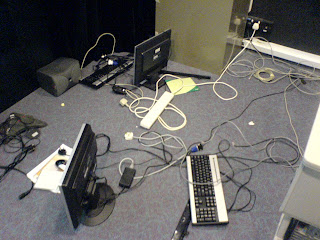 What a mess!
Today, is Monday, 24th of December 2007. X'mas eve. Which means that everyone gets to leave work early at 12.45pm. Today, we left work early, but it was at around 4pm, earlier than normal days I guess.
Today I still continued to research and refine my code on detecting a single point within any given shape, represented as an array of points. And finally, it reached a workable and acceptable state. I initially wanted to improve more on the code, but I guess with the datelines for SAB nearing, we'd better combine the code first. Better one working program with some bugs than two perfect files with no working output, JL reminded me.
And thus, we took code 1 and code 2 and mashed them up, and my luck, we got a working program. Well, not really by luck, but by a lot of re-editing the method signatures and copy and pasting code from one to another. Alas, a working game code, just with a couple of issues to iron out, such as the scoreboard, threading time, debugging outputs being printed at the background, etc.
Tuesday, 25 December 2007
Today is Christmas. Did I get many presents from Santa? Well, I've got all my friends around me. That should be enough for me, right? :)
Wednesday, 26 December 2007
Well, what else could we have done today, save for improving the game code? (its called whackapeng.c, btw).
Well, there are 2 major changes which we made today, and shall highlight them here:
Firstly, we ironed out some bugs in the game play, to name a few, were the encircling counter and circle sensitivity. It was hilarious when we started to test the program, and after attempting to draw 10 shapes (for level 1) to see if the code works fine under a happy flow, we realized that we had forgotten to add code to keep track of how many shapes have been encircled. Interesting.
The second problem we faced as that by drawing a small enough square/rectangle, by just basically completing 2 out of 4 sides, and a little start on the third side, the program will immediately assume its a circle (due to its small difference in diameter of the 3 random pair points) and draw a circle, which, if enclosing the center of the shape, will be considered as a successful shape encircling. Thus, I had to reduce the sensitivity of the circle detection, dropping the difference in diameter from 12 to 10. This change did not eliminate the problem, but only reduced the chance of it from happening, and the player had to draw a really shape to get it. Alternatively, was to totally trash circle detection for the game play, since the code for n-gon point detection will work fine for circles as well too, I believe.
Decisions, decisions.
We also added a high score board after the successful encircling of the shapes, though its just a dummy board as we have yet to think of a way to perform I/O effectively for the scores and the possible logo. hmmz.
Thursday, 27 December 2007
Well, with the main functionality of the game working, its time to improve it, pondering about the overall threading issue + file I/O.
One of the problems faced for the threading is that after every 20 seconds, the program will clear the screen of all drawings, just in case the user has drawn too much on the screen to effectively continue the game. Though when the thread that is in-charge of this goes to sleep for 20 seconds, it loses track of the game play. So even if the game had already moved to the next shape, or has been manually cleared (if ever it occurs during actual deployment), it would be impossible to alert the thread to stop and restart the count down timer, so that the clearing of the screen will effectively take place 20 seconds after the new drawing has been rendered on the screen. Or is there? hmmz. (I wonder if there is something akin to Java's wait() and notify() methods?)
File I/O is just thinking of how to solve the storing and retrieving of high scores for each level and the possible corresponding player logos for each of the high scores.
Been thinking...
Friday, 28 December 2007
I'm still working on some improvements of the game (e.g. overall threading issue + file I/O). Still not quite there yet. Took the last 3 hours of work or so to practice and revise for my SCJP exam, which is tomorrow. Hopefully I will do well :)
In addition to today, JL did a very cool code of using the light to drag primitive shapes around the screen. I can already see the HCI forming. :)
Reflection of the Week:
What did I learn for this week? Well, basically, its performance and the effect of inefficient code.
Lets start with performance, which I would be referring to code performance, as our entry point. Many times, our deployment environment or developing environment is quite powerful due to the use of modern technologies or high powered hardware. Which indirectly leads to more inefficient code being written. Why do I say that? When coding a function to solve a problem, there is little regard to the amount of memory that will be used by the function or the entire software. The code will run with little or neglectable performance degrading.
Thus even if the function is very inefficient, it won't really matter cause during development phase or (even deployment phase), only one application is tested at a single time, with a possibility of core 2 dual processor at 1.8GHz running in the back ground and 2GB of RAM. With regard to my experience in our school projects (again, this leads to school. But hey, isn't this supposed to be a reflection of my school experience vs the experience I am having now?), we develop applications that take little consideration of efficiency. Sure, we know what is the definition of efficiency, but do we really know the finer details of how to go about doing it in our code?
There was once I wrote a 1800 line class file for a very simple application - well, it probably beat the length of many people's code, but I bet it also beat them in being the most inefficient code. It had so many repetitions and nested loops, but when tested on my computer (Pentium 4), it was totally not a problem. Now imagine we put that code up on a not so powerful server in Singapore, and this application becomes really popular, with up to 3,000 concurrent users worldwide online calling it concurrently. Now we're really going to see the strain on the server. But if back then I've written really efficient code, perhaps of a couple of hundred lines, the strain would be much lesser.
So how does this relate back? Many times, the ideas that come to my mind to solve the problems I face within the code are not really the best way to go about doing it. Cramming all the code within a nested for-loop in a single thread and calling it to execute its loops repeatedly would probably cause strain on the program, which can be seen by the time it takes between when the light is captured by the camera, to the time it is rendered on the screen. The longer the time needed for the program to process the code, the larger the gaps become.
So conclusion? Thinking before coding :)
 What a mess!
Subscribe to:
Posts (Atom)